
A week or two ago I decided to try to slap together a full-stack web app for timelapse video generation that is also relatively easy to deploy. After becoming more familiar with some of today’s coding tools, I decided to start building the Timelapse Generator using readily available AI coding tools (like Cursor, Cline, Kilo Code, etc.).
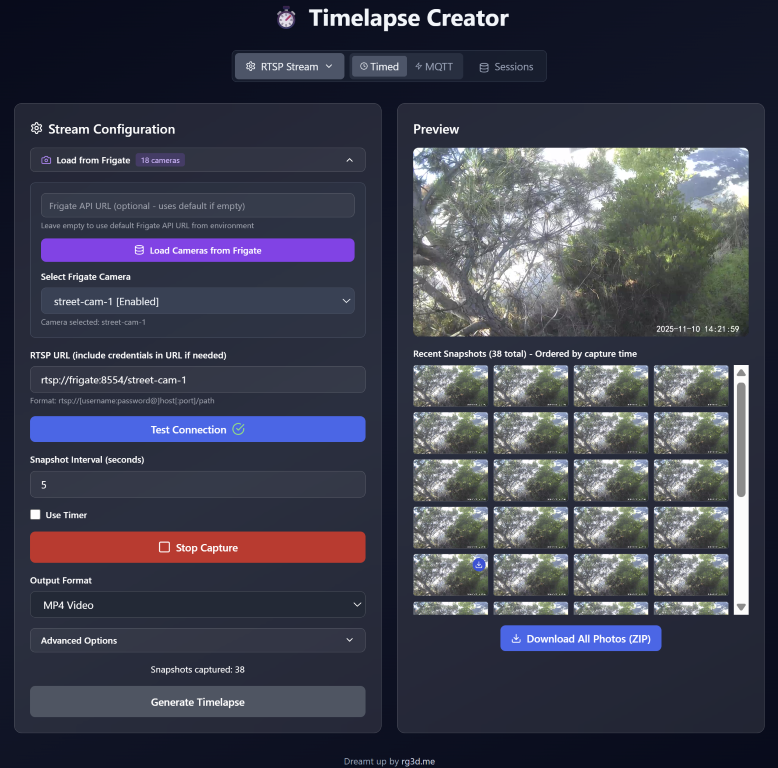
I started out prompting Claude to start building the frontend, which quickly turned into building the backend. Many prompts and IDE switches (but really only hours) later, I had what felt like an already robust timelapse creation tool that I probably would have had to spend a lot of money just to buy a copy of if we were still living in the pre-AI past.
Is the code an absolute abomination? Probably.
Does it work as intended? YES!
While I haven’t really considered myself much of a developer, let alone an expert in the field, these tools certainly can make one feel brilliant. That said, I do at least have a bit of coding experience, and am at least comfortable digging in when I need to. I know this is not necessarily the most complex thing to make, but I can definitely see how these tools may be reducing jobs or even leveling the playing field when it comes to accessing such fields of work.
Being able to quickly add features to this Timelapse Creator app has been HUGE, and amazingly simple, and these tools/methods are obviously being applied all over the place. At this point I have chugged through a huge chunk of my to-do list for the Timelapse Creator, and am constantly coming up with more useful features to add (and I’m excited to get them added!).
I’ve even found use for these tools while creating complex scripts/automations for my home automation system (via Home Assistant), and at work while building complex electronics control and sensor systems using microcontrollers (i.e. ESP32). In either scenario (home or at work) these tools really help bridge knowledge gaps, can help us iterate fast, and get results even faster.