At Solideon, the previous engineer who worked on our IoT infrastructure left behind a web GUI for monitoring the one (at the time) ESP32 device in the facility that was honestly a sad excuse for an interface. It was bare bones plain text, extremely difficult to read without hands-on training, and even then it was still pretty painful to work with. On top of that, every time we needed to add a new sensor or device to the network, someone had to manually modify the GUI code to surface it. That was an absolute pain point that kept coming back to bite us.
About a year ago around June or July 2025, I decided enough was enough and took things into my own hands. At that time I was mainly using ChatGPT and Claude to help me work through the problem before agentic coding tools like Cursor were more common. I spent a fair amount of time iterating prompts with both services until I landed on something much cleaner.
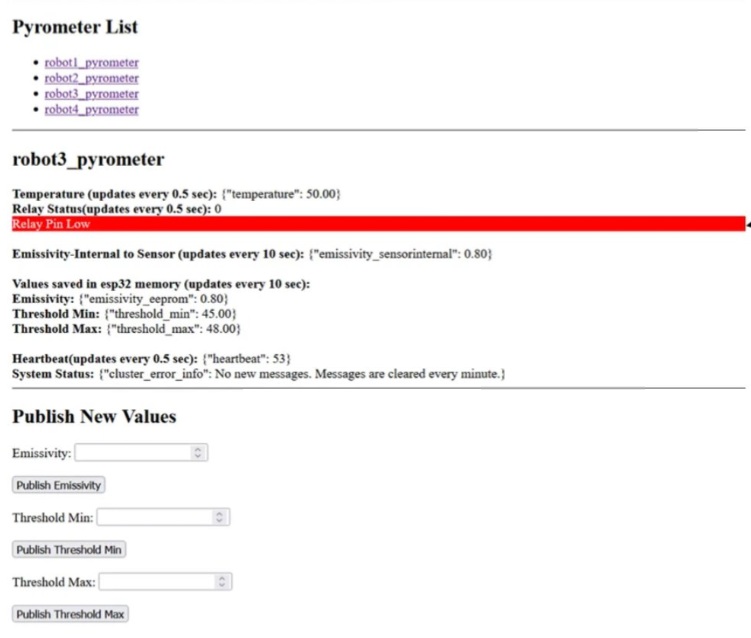
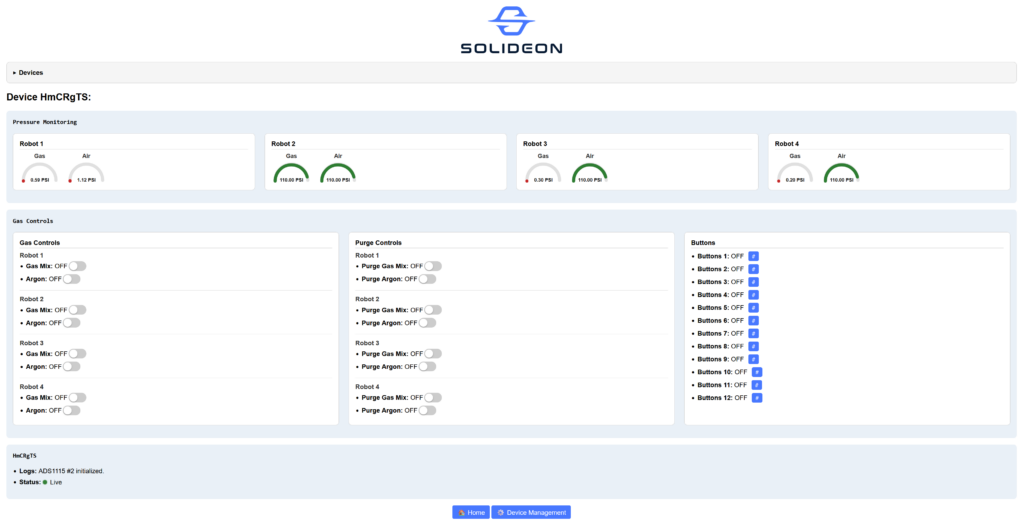
The first version ended up being a simple Python Flask app backed by a SQLite database to track all the connected devices. The key thing this solved was automatic device discovery: any ESP32 that published to the correct MQTT topics would just appear in the interface without anyone touching code. When an operator pulled up the dashboard, they were greeted with a list of all online devices. Clicking on one took them to a dedicated page showing every data point and control for that device. I added straightforward navigation buttons to jump between devices and basic database management features that let us add aliases to friendly device names so operators could actually recognize what they were looking at without reading raw node IDs.
Looking back, this was already a massive upgrade over what came before it. The interface was intuitive enough that our three regular operators picked it up quickly, and tracking 8-10 devices across the facility finally felt manageable instead of frustrating. It still lacked polish though and could barely be called professional looking at that point.
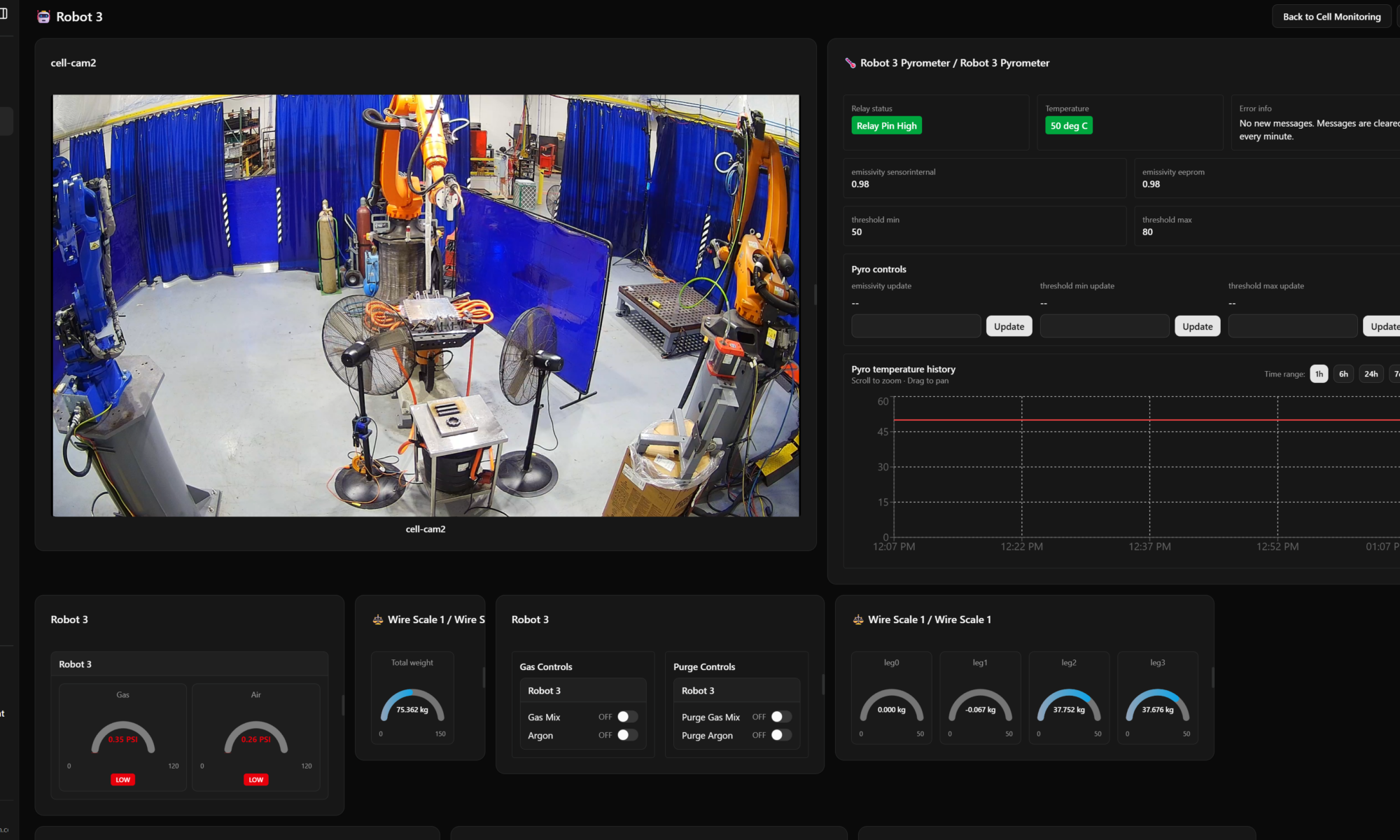
A few months later around February or March 2026, a colleague had been working on a mockup for a more polished UI. It was visually much better but not functional yet so I saw it as the perfect opportunity to bring both of our efforts together. By this time I had moved over to Cursor and was able to use it to essentially merge the working backend functionality from my Flask app with their cleaner frontend design. The result was the best of both worlds: a professional looking interface with all the device discovery, database management, and MQTT-powered real-time data that operators relied on.
From there I used Cursor to push it even further. I added a fully customizable dashboard page builder where users could create their own layouts by picking different card components that contained controls and sensor readings relevant to their workflow. One of the cards I built out was live video feed support through an integration with Frigate, which also required some work to get functioning properly with Cursor’s help. Operators sitting at their desks could now safely peer into the grinding or welding work cells via camera while simultaneously monitoring all the sensor data they needed without having to walk around to any equipment physically.
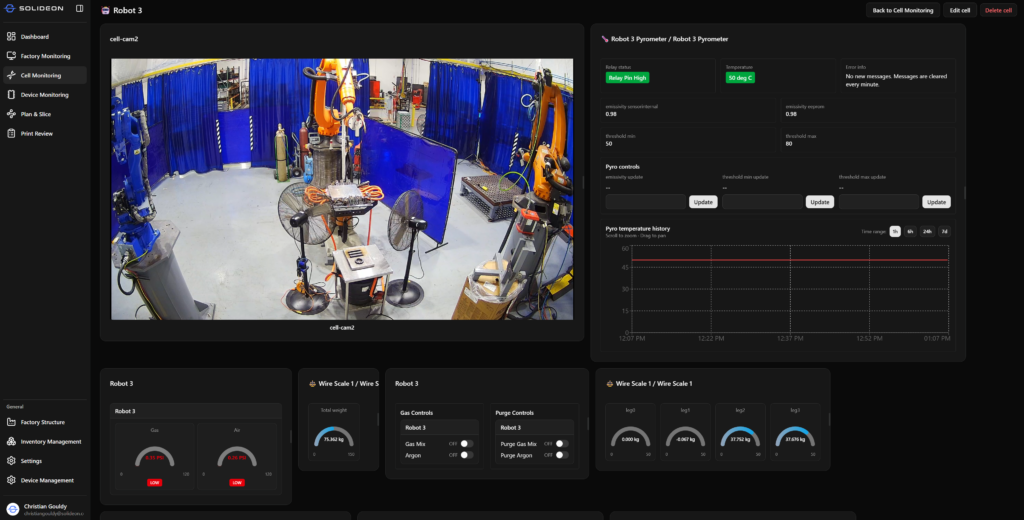
This dashboard tied together nicely with the other IoT projects I had tackled at Solideon: the environmental monitoring system covered in my IoT Environmental Monitoring Deployment fed air quality data from ESP32 sensors back to this same dashboard through MQTT, and the gas switching system described in Multi-Gas Flow Control & Distribution System allowed valve control, and published valve states and pressure readings that showed up right alongside everything else. Having a single consolidated interface that operators could customize themselves felt like the right way to close the loop on all of that work.
Something I really enjoyed about this project was seeing it evolve organically from a rough first pass built with basic prompting tools into something genuinely useful for the team, especially once Cursor let me iterate much faster and think bigger during phase two. Having operators tell me they actually preferred using it over walking to the machines themselves was exactly the kind of outcome that makes these kinds of projects worthwhile.